PR #9707 review: cloud environment onboarding, per-environment machine size, environment page in Settings
Summary
The PR adds three pieces of cloud-environment work. First, a project with no cloud environment can create one from the new-workspace screen: a "Set up Environment" chip or Send creates a personal environment and starts a cloud workspace with an agent to set it up. Second, environments now carry a machine_size: cloudWorkspace.create uses it when the caller names no size, and the per-workspace size pickers are removed. Third, the environment page moves to /settings/environments/$environmentId and takes over the variables editor, with "Manage environment" and "Save checkpoint" entry points. The goal is to stop new users getting stuck when they pick Cloud for a repository that has no environment.
Verdict
Minor issues
The design is sound. The API changes are additive and match trpc-compat, and every surface I could reach worked at the PR head. One behaviour gap needs a decision before merge: the "Set up Environment" chip sends a setup prompt with no environment URL and no superset:environment skill, so a chip-started agent has no instruction to configure or checkpoint the environment it was made for.
Findings
apps/desktop/src/renderer/routes/_authenticated/components/DashboardNewWorkspaceModal/components/NewWorkspaceScreen/NewWorkspaceScreen.tsx:1026 and …/ChatSession/components/Composer/Composer.tsx:620
The chip sends ENVIRONMENT_SETUP_PROMPT alone, and the in-chat chip inserts the same text. Send (:937) and the Create environment dialog both wrap the prompt with withEnvironmentSetupSkill(…, environmentUrl). The chip does not. Nothing on the server or in the box handles that text in a special way (I searched packages/trpc and the sandbox code). So an agent started from the chip installs things in its own box, but it has no instruction to write the setup config or save a checkpoint to the new environment. The environment stays sourceKind: "image", the next workspace boots from a bare image, and the in-chat chip stays visible.
Captured request for a chip click at the PR head:
cloudWorkspace.create { environmentId: "c0336452-…", agent: "claude",
  prompt: "Please set up the development environment for this codebase. Run the application(s) and demonstrate that the environment is working." }
Send on the same screen sent the typed text plus "Use the superset:environment skill to set up the cloud environment http://localhost:3000/environments/c0336452-… You are already in a box on that environment…".
Fix: in the chip handler, use cloudPrompt: (_typed, url) => withEnvironmentSetupSkill(ENVIRONMENT_SETUP_PROMPT, url). In Composer, build the inserted text the same way from the workspace's environmentId (the notice already looks it up). If the bare prompt is intentional, please say why in the PR, because the description's "Key decisions" table says the skill is named explicitly.
apps/desktop/src/renderer/routes/_authenticated/components/DashboardNewWorkspaceModal/components/DashboardNewWorkspaceForm/PromptGroup/hooks/useSubmitWorkspace/useSubmitWorkspace.ts:196
typedPrompt and the seeded pending chat (:224) use userPrompt, which already includes the cloudPrompt override. The server stores typedPrompt as the row's prompt (start.ts:215), and CloudWorkspaceRecordView shows that as what the user asked. A user who typed "Add a health check endpoint" sees the internal skill sentence and URL as their own message.
Fix: send typedPrompt: prompt.trim() (the raw draft) and seed the chat with the raw draft. Keep the full text only in prompt.
apps/desktop/src/renderer/routes/_authenticated/utils/resolveCloudChoices/resolveCloudChoices.ts:67, …/NewWorkspaceScreen.tsx:369, apps/desktop/src/renderer/stores/v2-workspace-create-defaults.ts:20
Now that the size pickers are gone, nothing reads cloudSelection.machineSize. But resolveCloudChoices still computes it, the new-workspace screen still calls useMachineSizeOptions() only to feed it, and the remembered-choices store still has a machineSize field.
Fix: remove the field from resolveCloudChoices, from its input and from the store type. Then drop the useMachineSizeOptions call from the screen.
…/Composer/components/EnvironmentSetupNotice/EnvironmentSetupNotice.tsx:16-27
This file repeats the logic of the new useWorkspaceEnvironment hook: it finds the workspace's environmentId, runs the list query and finds the row.
Fix: have useWorkspaceEnvironment also return sourceKind and use it here.
apps/desktop/src/renderer/routes/_authenticated/_dashboard/components/DashboardSidebar/components/DashboardSidebarWorkspaceItem/DashboardSidebarWorkspaceItem.tsx:30
ManageEnvironmentItem is nested under DashboardSidebarWorkspaceContextMenu/components/, but its parent DashboardSidebarWorkspaceItem imports and builds it, then passes it in as environmentItem. The rule is to nest a component under the component that uses it.
Fix: render it inside DashboardSidebarWorkspaceContextMenu from a workspaceId / isCloudWorkspace prop. Or move it to DashboardSidebarWorkspaceItem/components/.
Checked and fine: start.ts falls back from the environment's size to the org default only when the caller named no size, and refuses an explicit size the plan does not offer. environment.update accepts machineSize: null for "default" and leaves the size alone when the field is omitted. cloudDispatch.ts now gives way to the environment's size. The beforeLoad redirect keeps restored routes working. The i18n enforced-dir additions are clean.
Evidence
Desktop dev build (Electron, DESKTOP_VITE_PORT=3005, CDP on 9333) against the local API on :3001. It used this workspace's own Neon branch, with the base PR's one-column migration 0193_environment_machine_size.sql applied. I drove it with CDP mouse and keyboard input and captured request bodies with an in-renderer fetch hook. All screenshots are at 5c365540.
New-workspace screen: Set up Environment
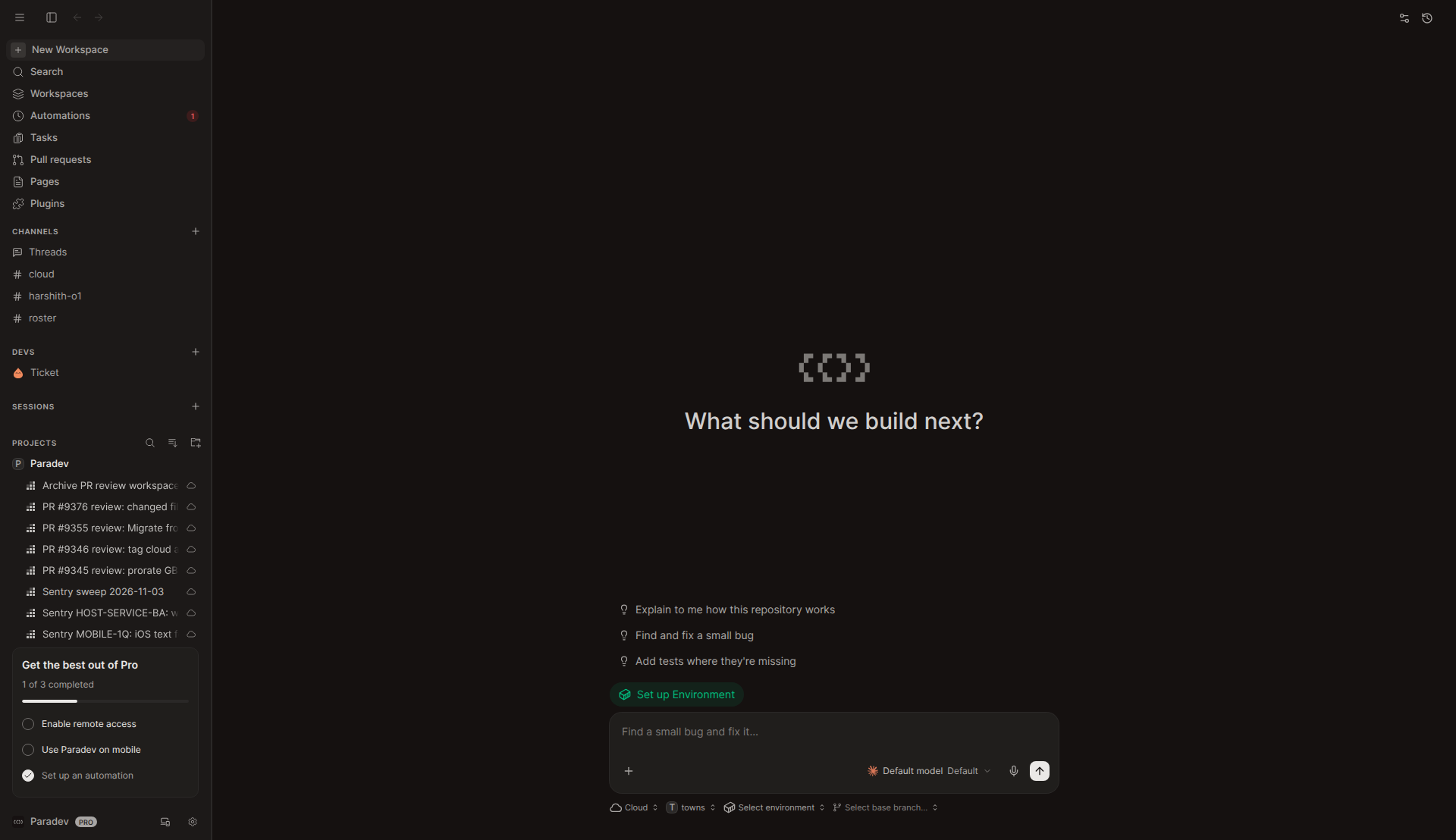
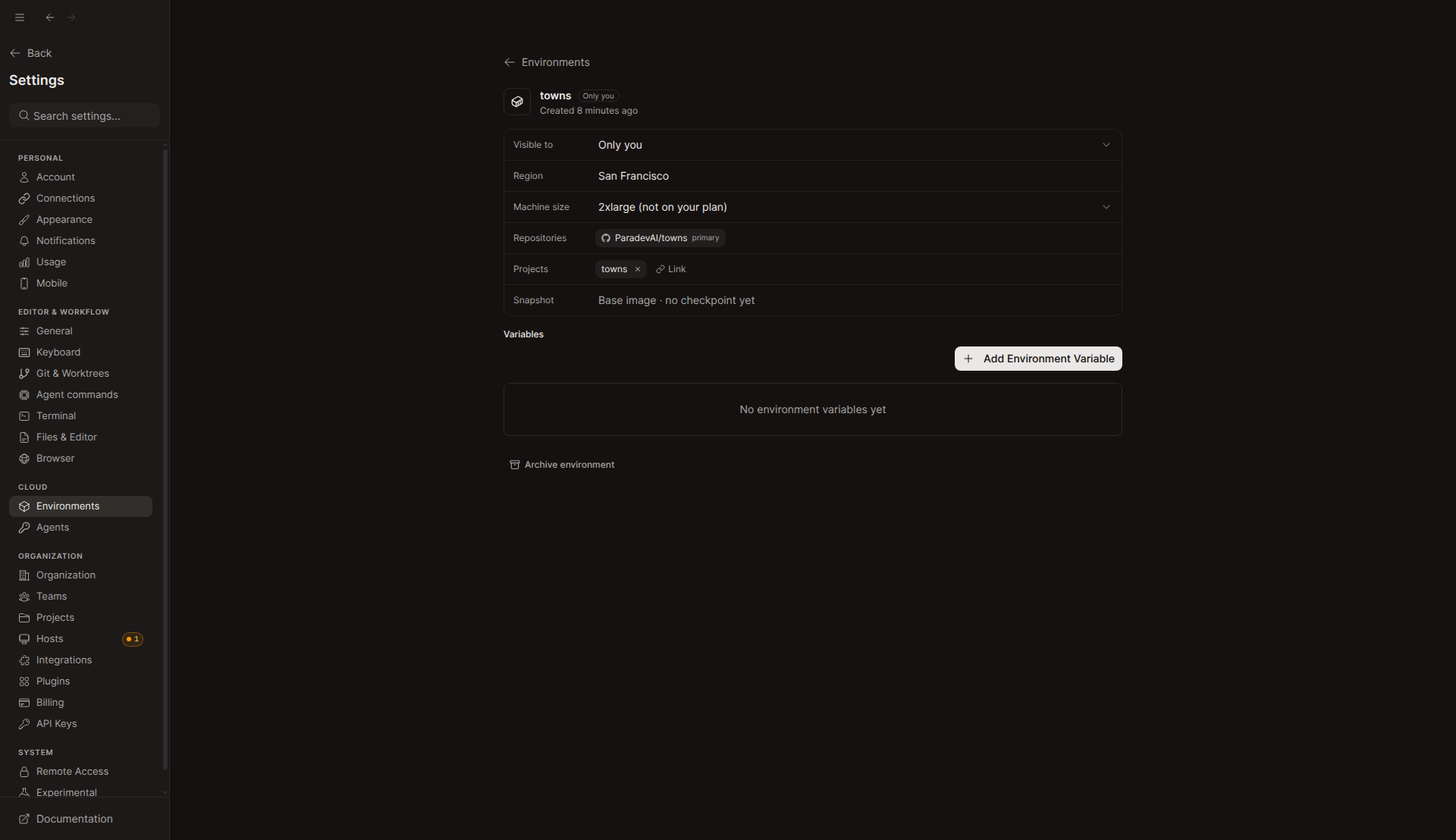
towns, which has no environment: the green "Set up Environment" chip shows. There is no machine-size pill in the footer.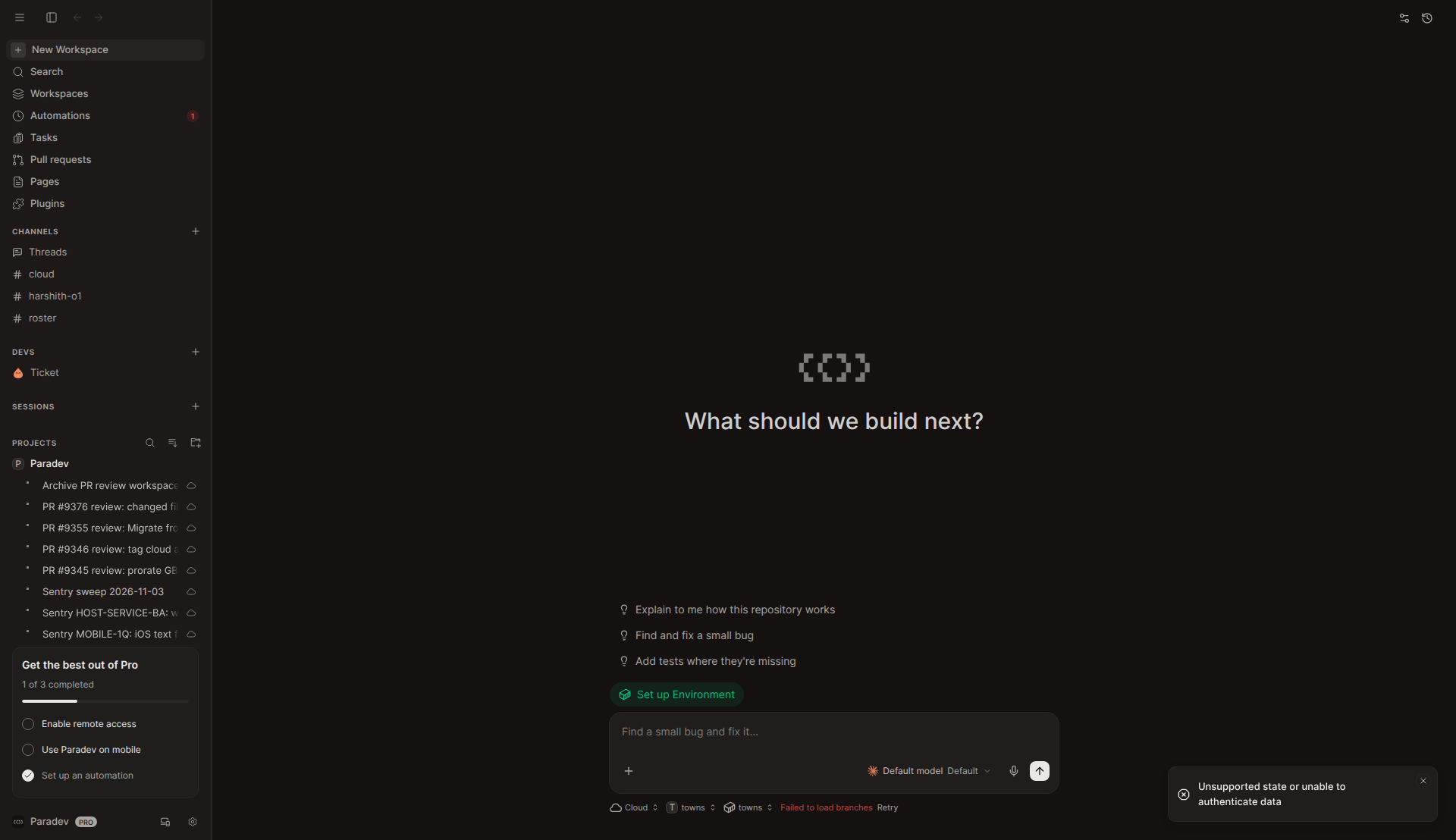
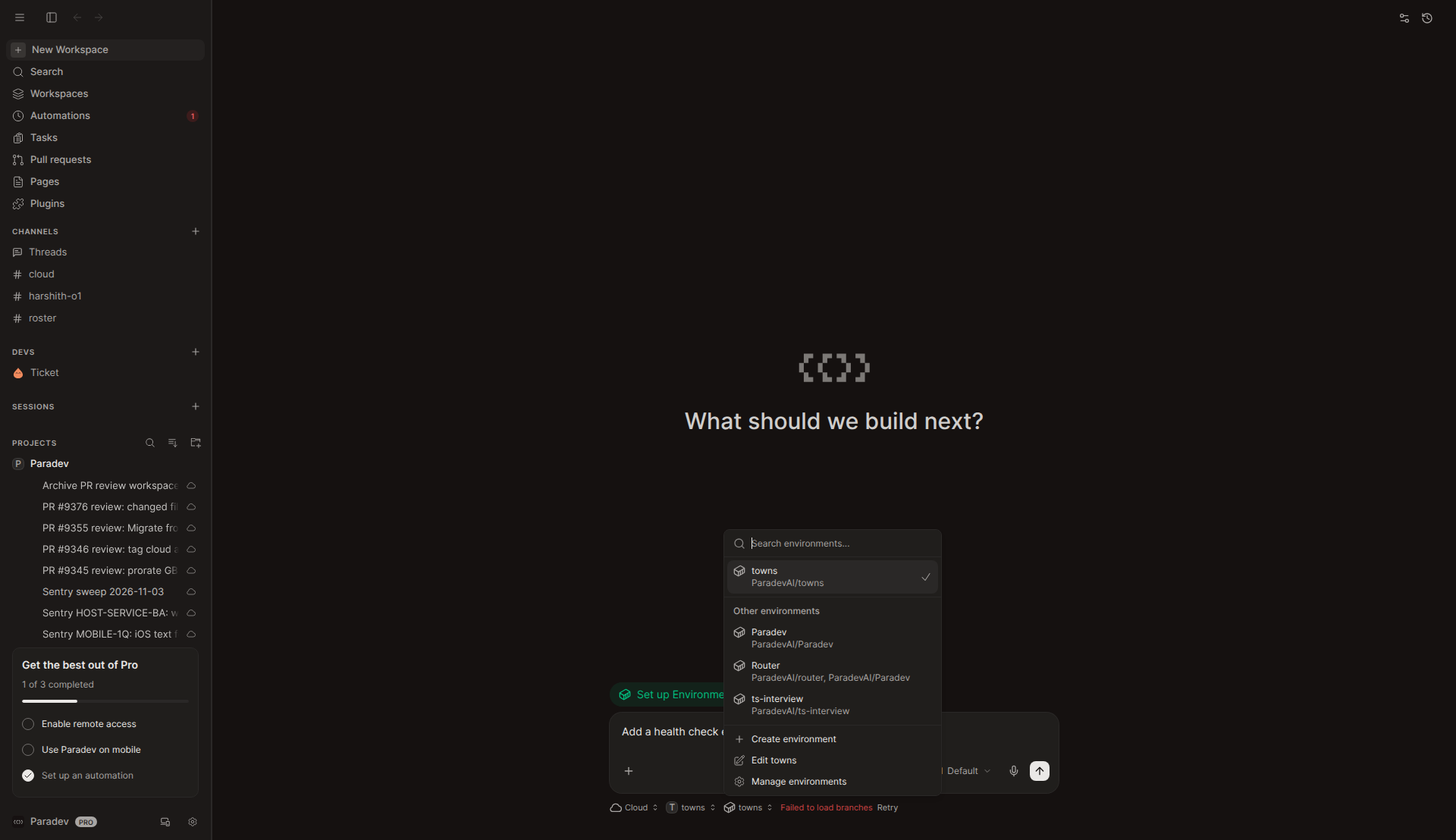
environment.create made a personal environment named towns linked to the project, and the picker now shows it. cloudWorkspace.create failed with "Unsupported state or unable to authenticate data", the sandbox token-decrypt limit the author also hit. The chip stays, ready to retry. The request had the bare prompt (Finding 1).Retry: I typed "Add a health check endpoint" and pressed Enter. One cloudWorkspace.create went out on the same environment c0336452-…, with no second environment.create. Its prompt was the typed text plus the superset:environment sentence with the environment URL. Works as described.
Environment picker
Environment page in Settings and machine size
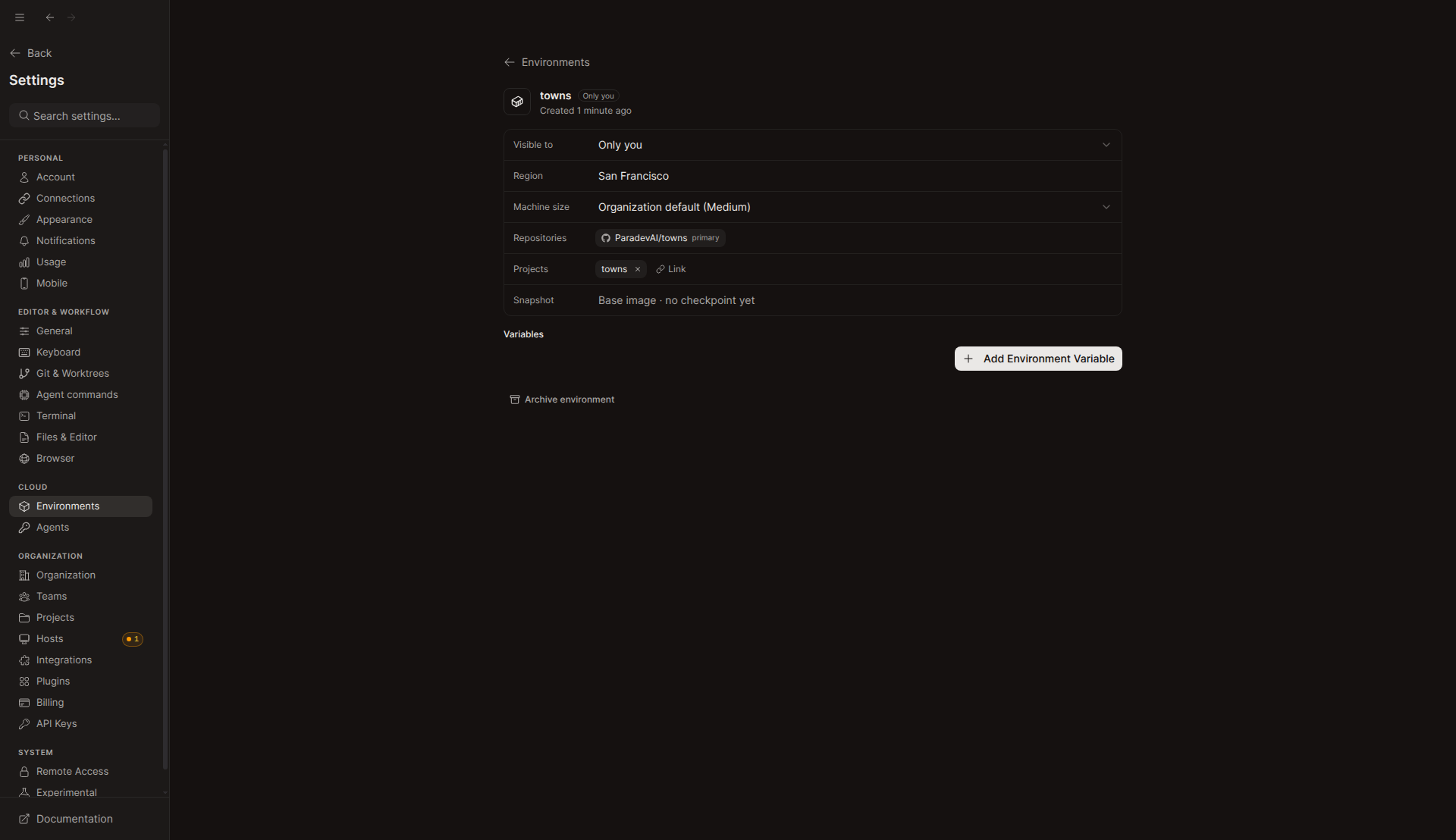
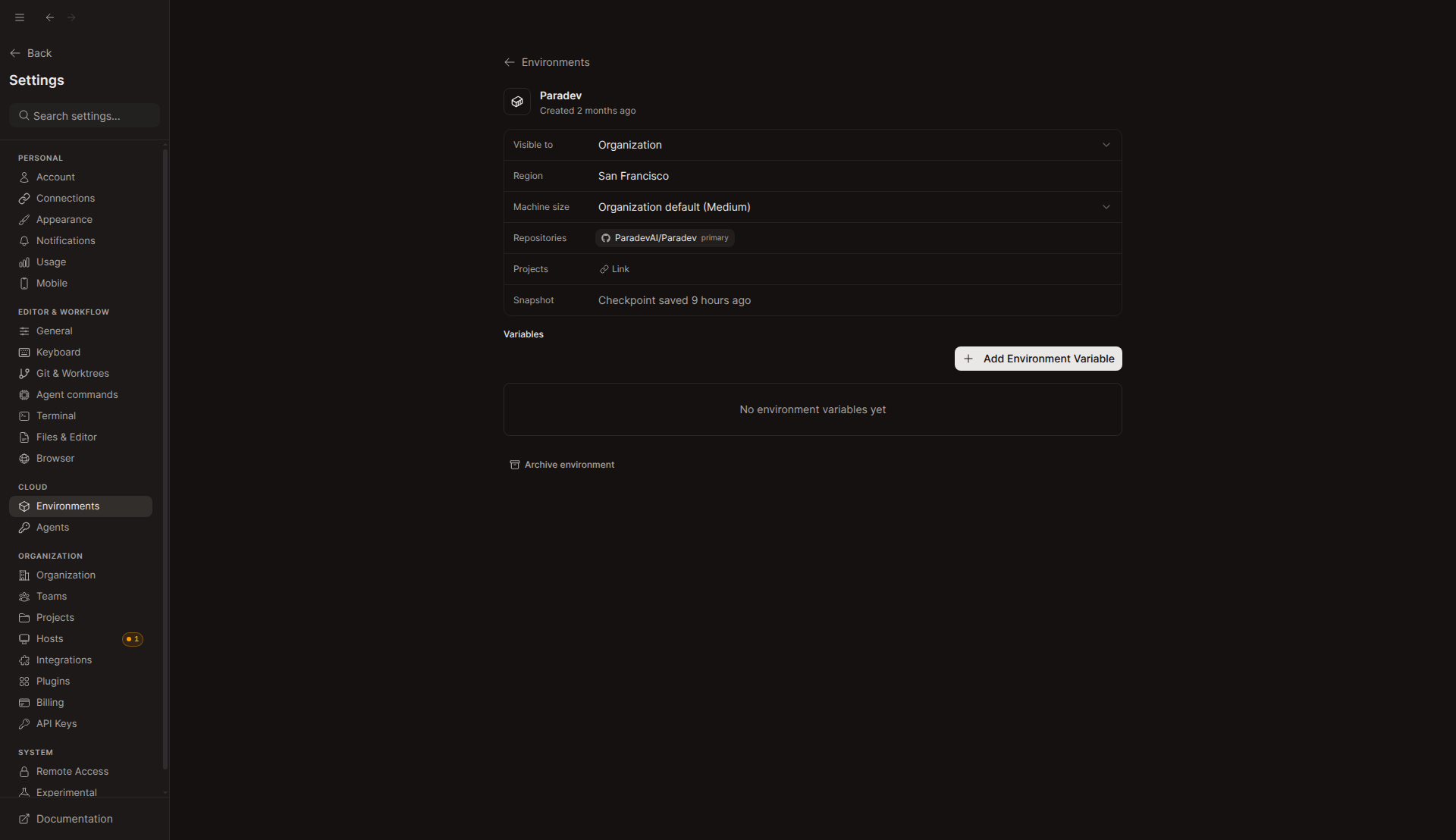
#/settings/environments/c0336452-… inside Settings, with the Machine size row set to "Organization default (Medium)".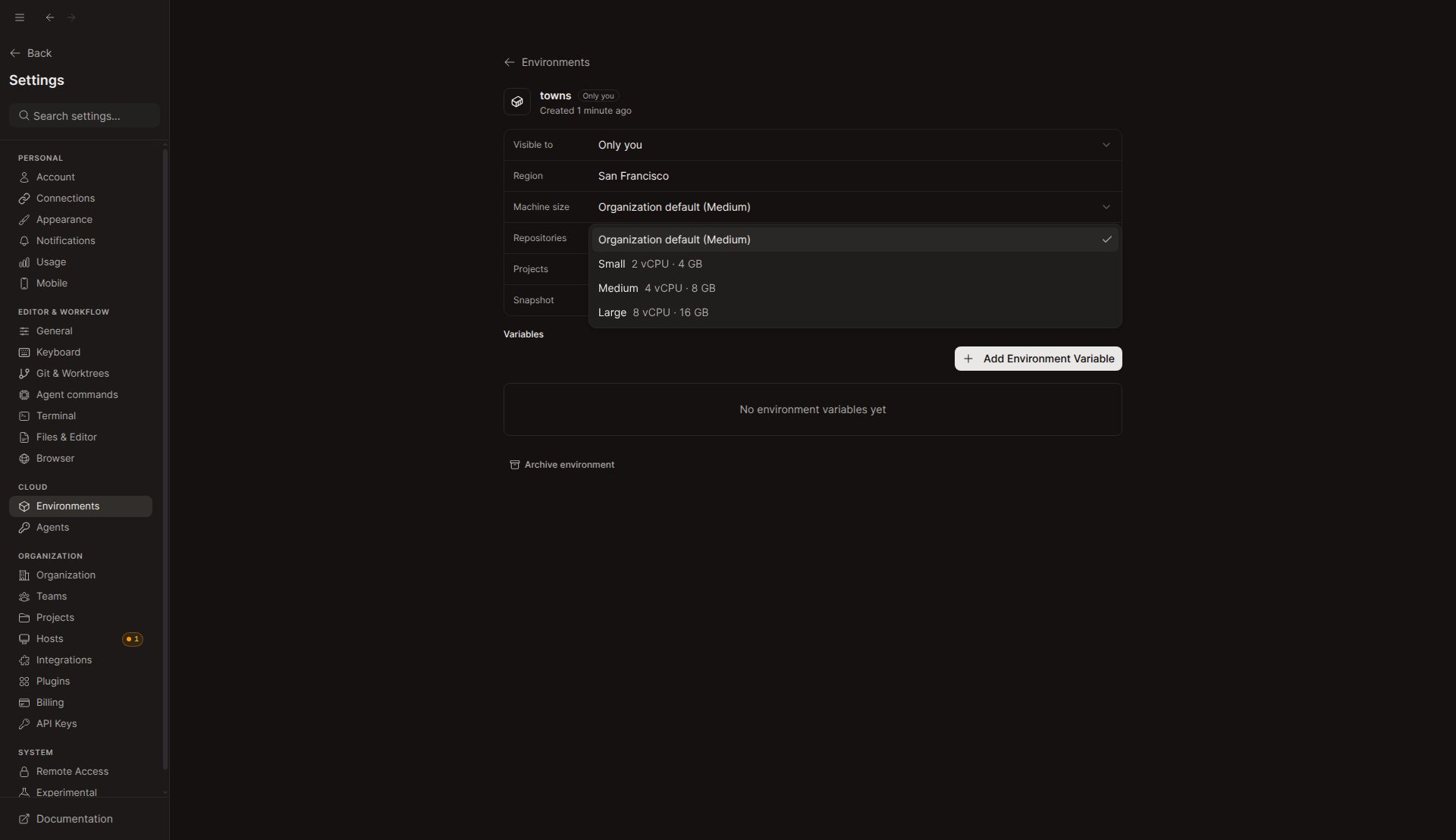
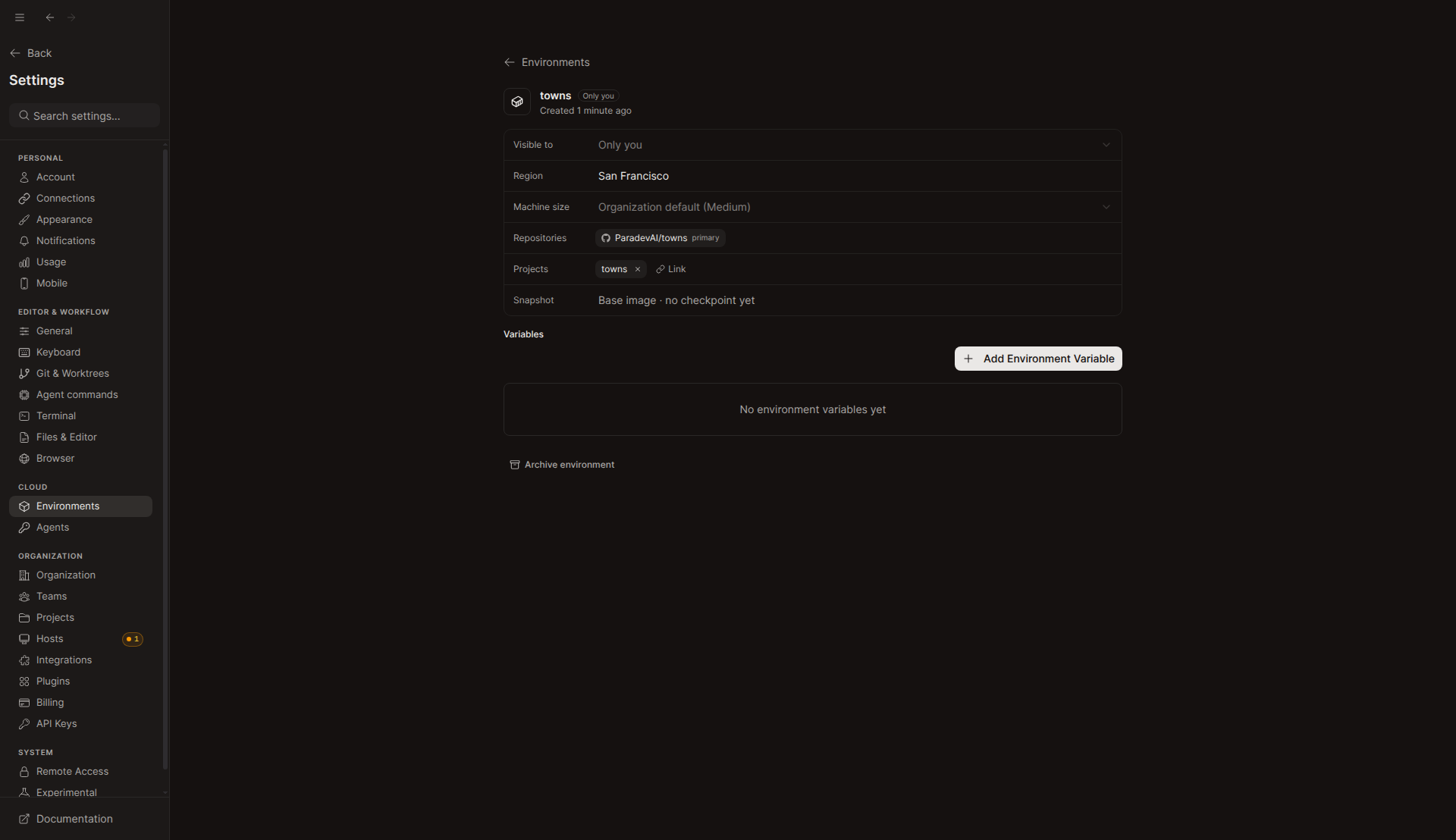
environment.update runs, so it still shows the old value. The database then read machine_size = large. Choosing the default again saved NULL, also read back from the database.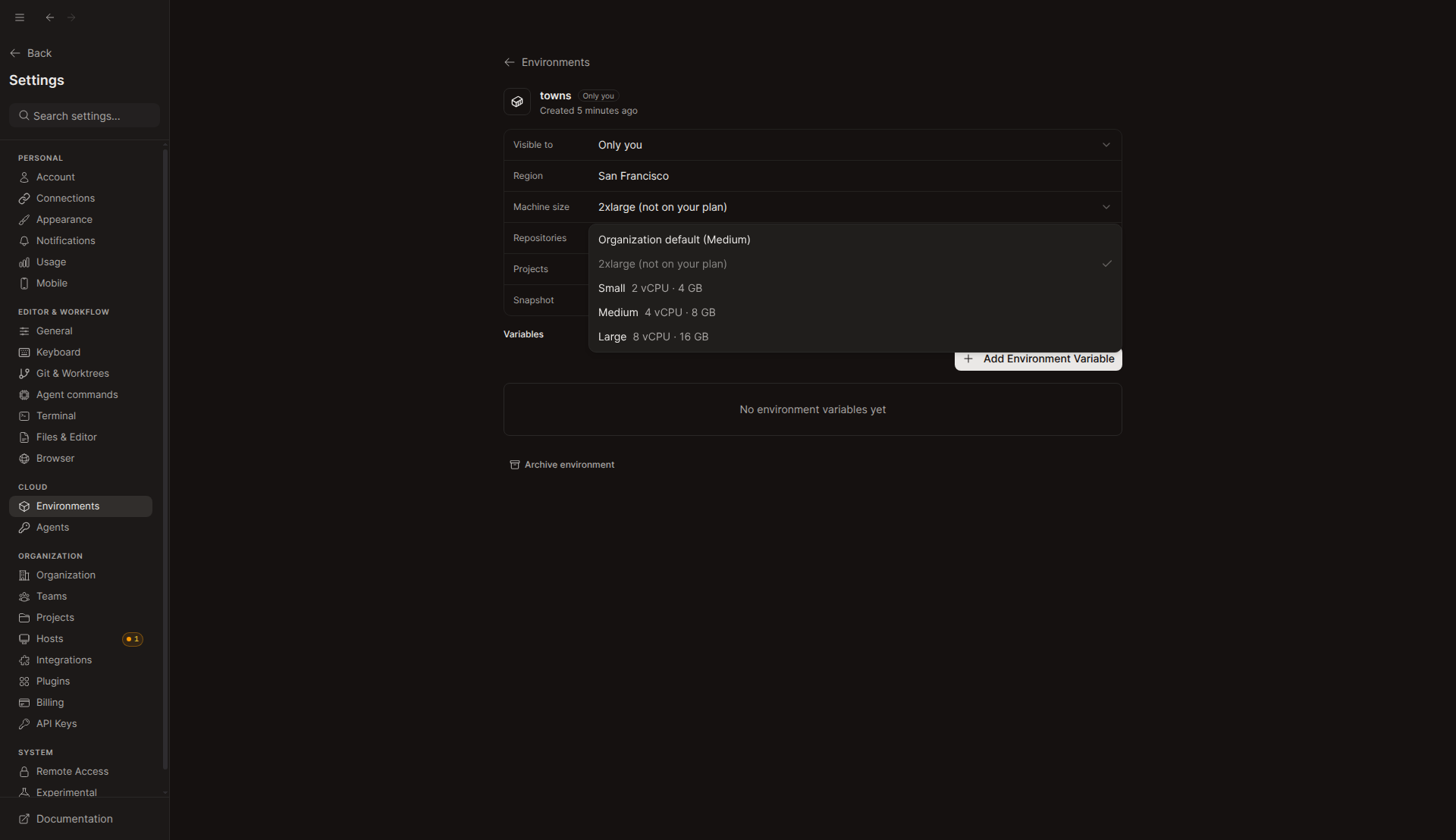
2xlarge stored, which this plan does not offer, the select shows "2xlarge (not on your plan)" as disabled. The API refused environment.update({machineSize: "xlarge"}) with BAD_REQUEST: Machine size "xlarge" is not available for this organization, and the stored value did not change.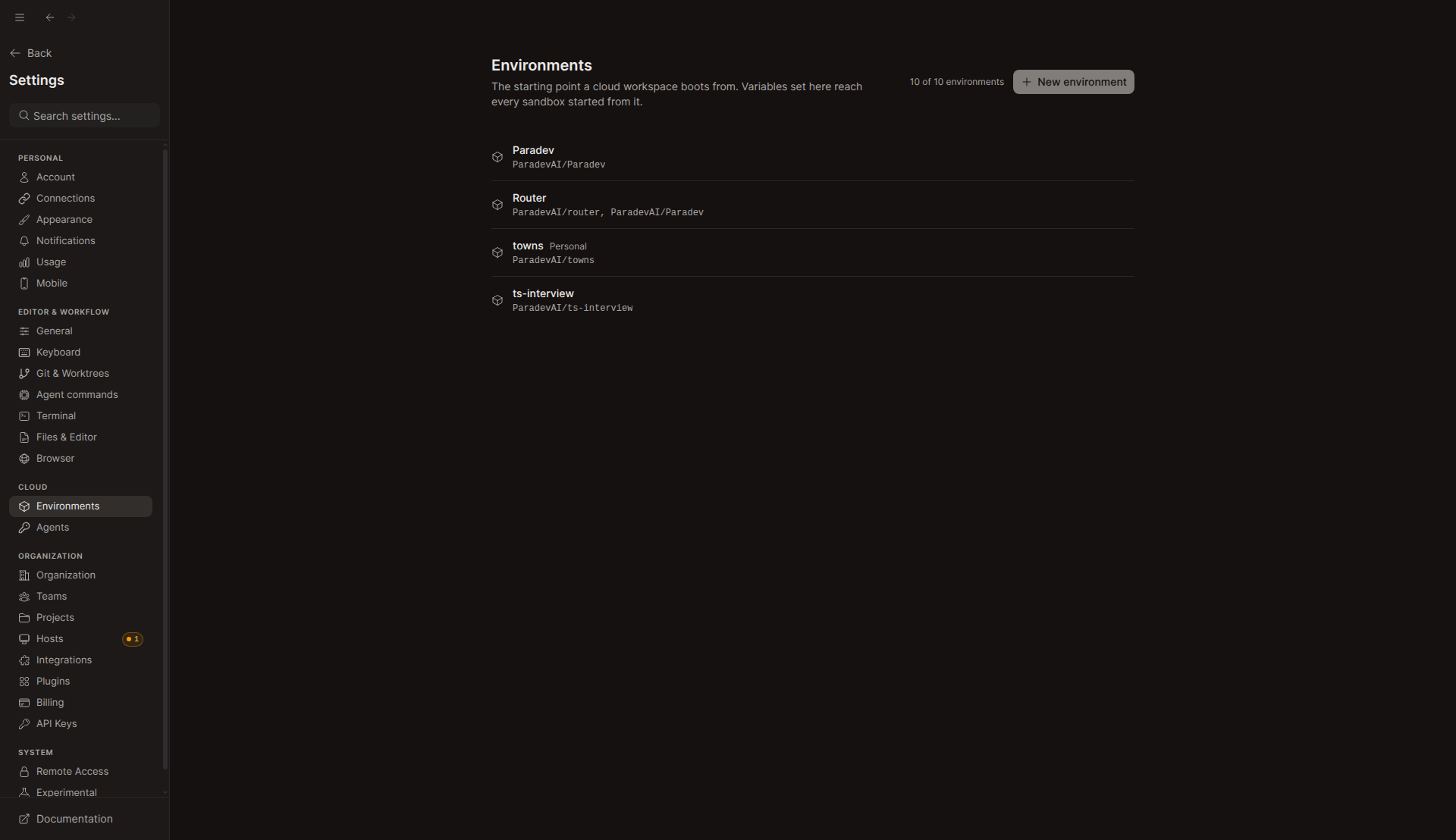
Old route redirect
/environments/c0336452-… as the persisted route: the app lands on #/settings/environments/c0336452-…. In-app navigation to the old path redirects the same way.Sidebar: Manage environment
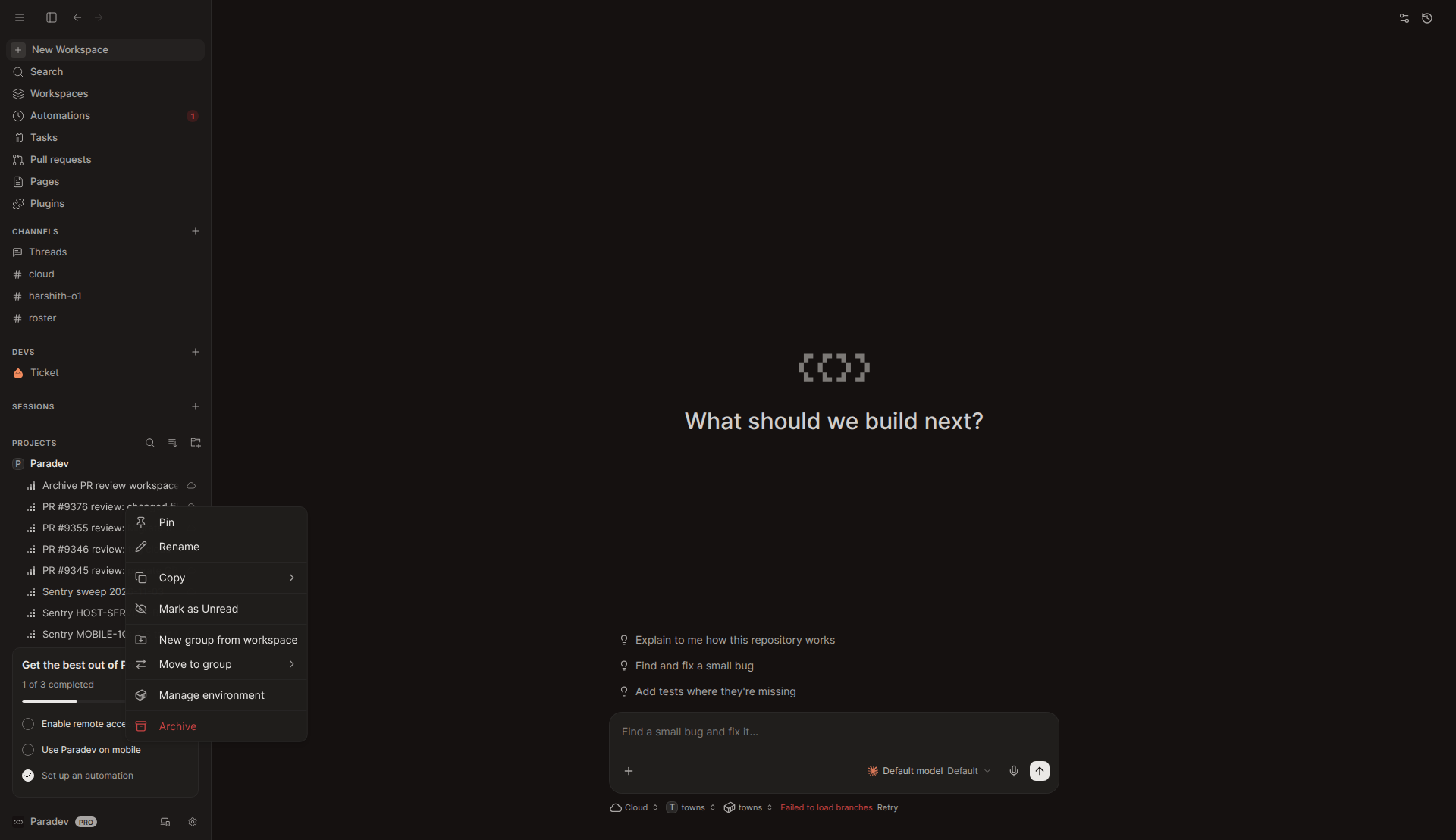
Create environment dialog
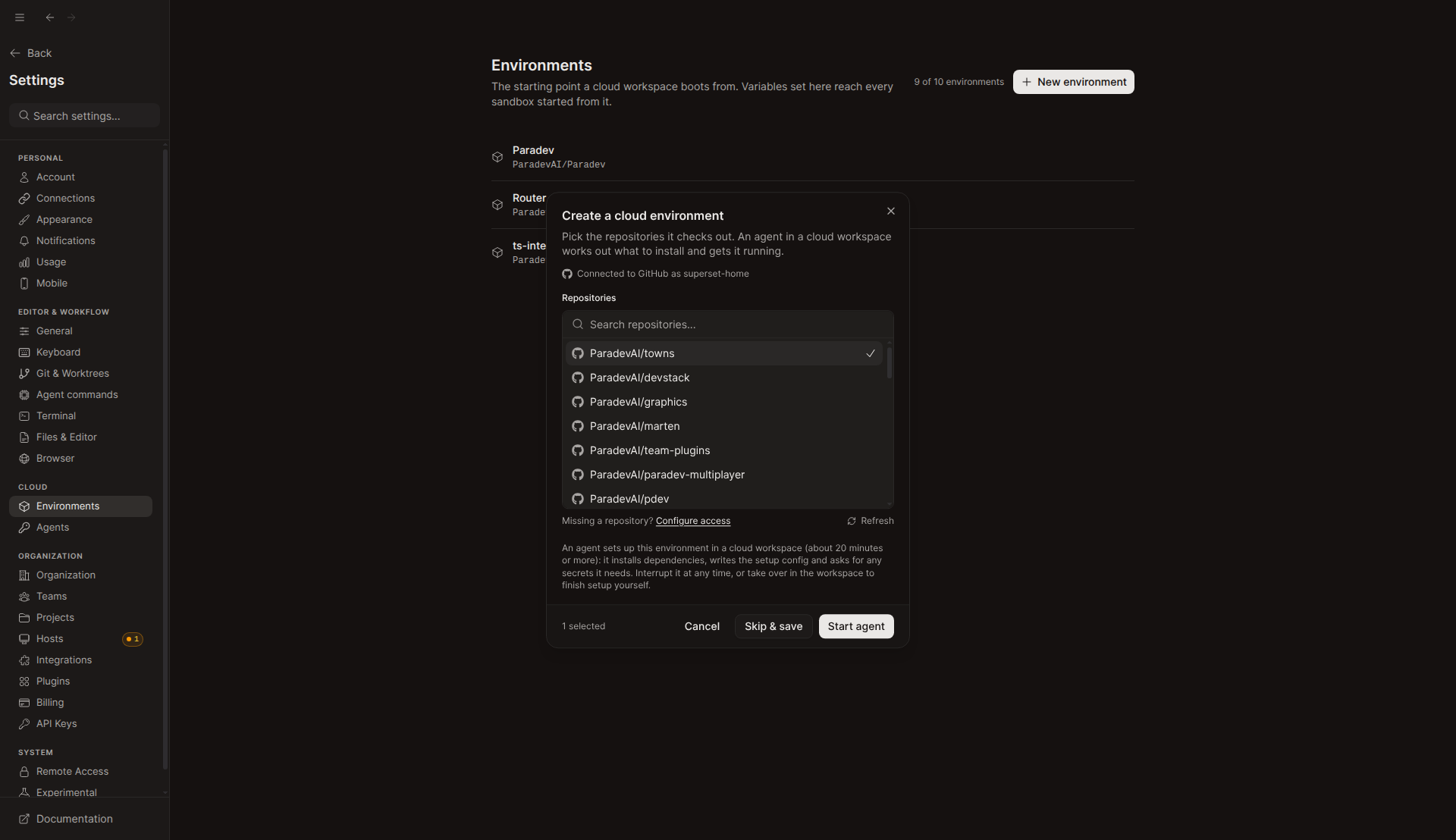
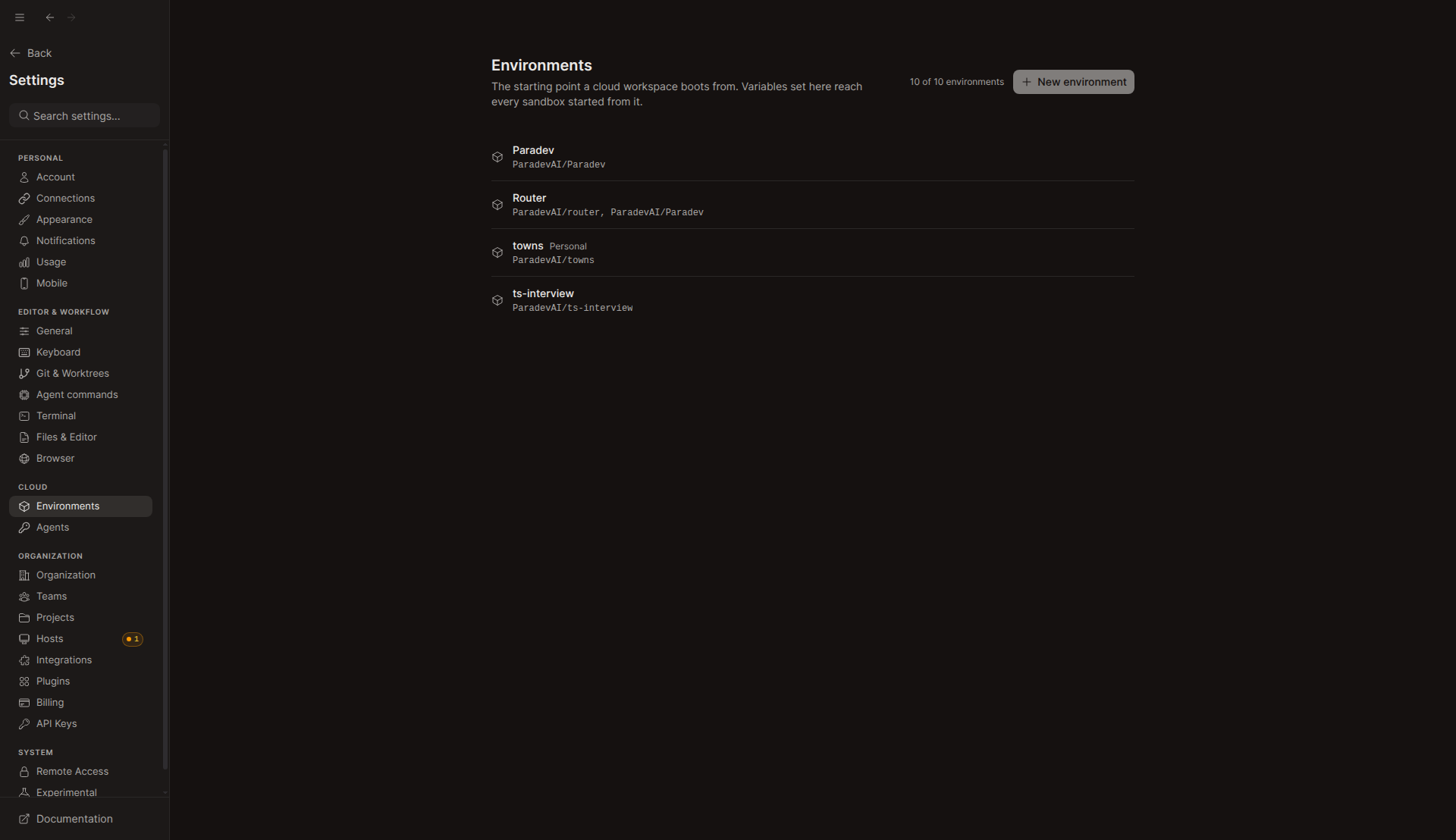
environment.create 200 and then the same sandbox decrypt error on cloudWorkspace.create. The failure toast had already expired when I took this screenshot, so the toast text is not captured.Could not verify
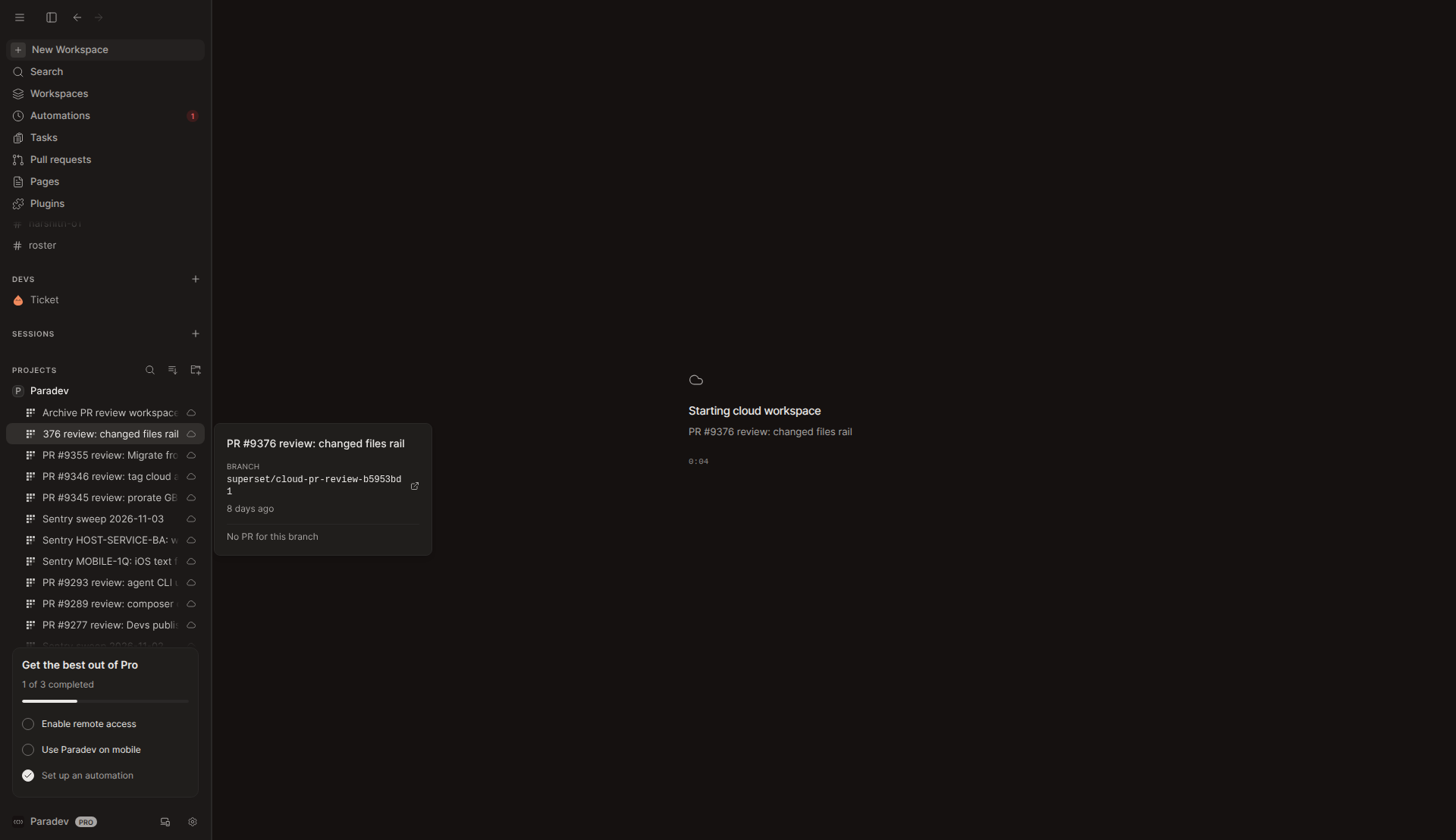
- Cloud workspace "…" menu (Manage environment / Save checkpoint) and the in-chat setup chip: cloud workspaces never get past "Starting cloud workspace" in this sandbox (screenshot below), so the workspace header and chat composer never render.
- Skip & save and the Move to cloud dialog without a size picker: not clicked. Only the code was reviewed.
cloudWorkspace.createbooting at the environment's size: the start fails before boot here. The three new unit tests cover it and pass.
Questions for the author
- Is the bare chip prompt (no skill, no environment URL) deliberate? If it is, what makes the chip-started agent save a checkpoint to the new environment?
- On the new-workspace screen, Send with no environment now always creates a personal environment, and each one counts toward the org's environment cap. This org went to 10/10 in testing. Should Send ask for confirmation first, or should only the chip do this?
- Any member who can see an org-scoped environment can now raise its machine size, and that changes the cost of every workspace that boots from it. Is that the intended permission, or should it follow the same rule as scope changes?
- Every pre-existing environment that was never checkpointed (
sourceKind: "image") will now show the green chip in every chat. Is that the intended rollout?
Test / CI notes
| Check | Result (at 5c365540) |
|---|---|
bun test packages/trpc/src/router/{cloud-workspace,environment,automation} | 108 pass, 0 fail |
bun test desktop: environmentSetupPrompt, CreateEnvironmentFlow, DashboardNewWorkspaceModal | 44 pass, 0 fail |
tsc --noEmit apps/desktop, packages/trpc | clean |
bun run check:i18n | exit 0; catalogs unchanged after regenerating |
| GitHub CI | Lint, Typecheck, Test, Sherif and the deploy checks were still in progress when I read them. CLA, Vale and Neon create passed. CodeRabbit skipped (non-default base). |
Local setup note: the workspace database is a per-workspace Neon branch. I applied ALTER TABLE "environments" ADD COLUMN "machine_size" text; from #9706 to it so the API could read the column. I archived the two towns environments made during testing.